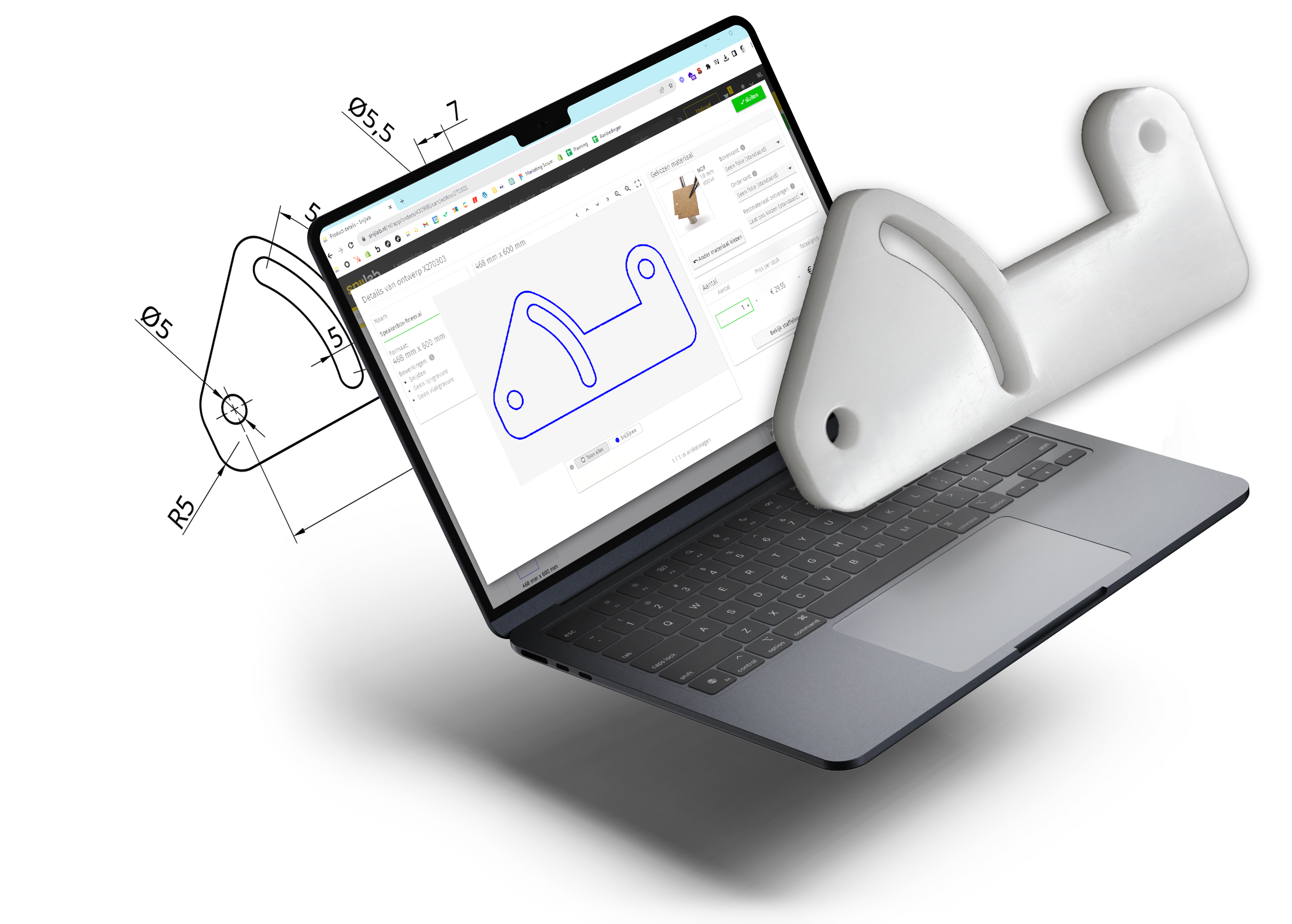

Do you want to laser cut specific product parts such as machine plates, enclosures, and flanges? Then the right CAD software is essential. But which one do you choose? In this blog, we compare three leading drawing programs for laser cutting and help you discover which software is most suitable for your workflow: AutoCAD, Rhinoceros 3D, or Solidworks.
Laser cutting with AutoCAD: professional drawing program with a strong 2D workflow
Price €0 Precision ★★★ Learning curve ★★
Price €184 per month (with an annual subscription) Precision ★★★★★ Learning curve ★★★★

For engineers working with laser cutting, Autodesk AutoCAD is a powerful drawing program with a strong 2D workflow. This is essential for providing accurate cutting files for machine plates, insulation layers, and panel parts, for instance. The software comes with seven industry-specific toolsets for, among other things, factory and mechanical design and converting raster images to vector drawings. To automate processes and streamline the workflow, the AutoLISP programming language is built-in. This allows users to write their own commands and significantly increase work productivity. External references in a drawing ensure that multiple parts can be managed in one file. The software easily exports files in the correct format for laser cutting at Snijlab. Today, AutoCAD also offers online functionalities to view designs on mobile devices.
Download the free trial version of AutoCAD here
| Pros | Cons |
|
The drawing program has both 2D and 3D capabilities |
A license is pricey |
|
External references are possible in drawings |
The software has high system requirements |
Curious about AutoCAD? In this tutorial, you'll learn everything about getting started in AutoCAD in 2026
Laser cutting with Rhinoceros 3D: advanced drawing program with add-ons for algorithmic design
Price €995 Precision ★★★★ Learning curve ★★★

Many CAD users consider the Rhinoceros 3D drawing program to be the most suitable for laser cutting, especially due to its ability to create highly precise and production-ready cutting files. Unlike many other CAD software, this program runs smoothly, contributing to an efficient production workflow. A major advantage of Rhinoceros 3D is its support for NURBS geometry, allowing for the modeling of accurate curves and organic shapes with high precision. This software is particularly well-suited for creating complex technical parts, such as uniquely shaped enclosures. Rhinoceros 3D also features several powerful add-ons like Grasshopper: a tool that creates drawings and models using algorithms. This allows for rapid iteration, which is very useful when working with prototypes. Nesting is also possible, ensuring optimal utilization of sheet material and keeping material waste and costs as low as possible during laser cutting.
Buy a Rhinoceros 3D license here
| Pros | Cons |
| The drawing program includes useful add-ons such as Grasshopper | The price is high, and monthly payments are not possible |
| Works with NURBS geometry for accurate organic and complex shapes. | Dimensioning is not always smooth |
Do you want to get started with Rhinoceros 3D? Then watch this tutorial from The Rhino Essentials
Laser cutting with Solidworks: the trusted industry standard in CAD software
Price €290 per month Precision ★★ Learning curve ★

The Solidworks drawing program is designed for engineering and production. It is considered the industry standard and is very comprehensive with add-ons for specific applications, eliminating the need for multiple software packages. Solidworks includes several advanced tools, for example, for creating sheet metal and weldment constructions. The built-in Sheet Metal Module makes it possible to design sheet metal parts with bends and fold lines. Engineers who want to laser cut metal sheet parts, enclosures, or flanges, for example, save a lot of time this way. Additionally, Solidworks includes integrated simulations so that designs for laser cutting can be optimized. This can be particularly relevant in R&D product development. It is trusted software for many, but its foundation dates back to 1995. This often leads to spontaneous bugs and crashes.
Here you can view the various licensing options for Solidworks
| Pros | Cons |
| Solidworks includes a wide range of applications | The program crashes frequently |
| The software offers very affordable packages for makers and startups | The software has high system requirements |
Curious about SolidWorks? Watch this tutorial for beginners in 2026 from The Inventor Within
Which CAD software do you choose for laser cutting?
When do you choose laser cutting with AutoCAD?
- You primarily work with 2D drawings and need a strong 2D workflow for precise cutting files.
- You want to use external references to manage multiple parts in one file.
- You want to automate your workflow with AutoLISP to save time and streamline work processes.
- You need online functionalities to view designs on mobile devices.
When do you choose laser cutting with Rhinoceros 3D?
- You work with complex, organic shapes or precise curves that require NURBS geometry.
- You want to quickly develop and iterate prototypes using add-ons like Grasshopper.
- You want to make optimal use of material through nesting and minimize waste.
- You value a workflow that is as smooth as possible, promoting efficiency.
- You are willing to invest in a high one-time license price.
When do you choose laser cutting with Solidworks?
- You design sheet metal, weldment constructions, or parts with fold lines and bends, such as metal enclosures.
- You need integrated simulations to optimize designs for production.
- You work in an R&D environment where extensive features and industry-standard tools are required.
- You want a complete engineering software package with add-ons, without needing additional programs.
- You accept that the software may sometimes crash.